Are You Leveraging the Power of Microsoft Teams?
Kordel Eberly
A Tool That Allows Communication and Collaboration
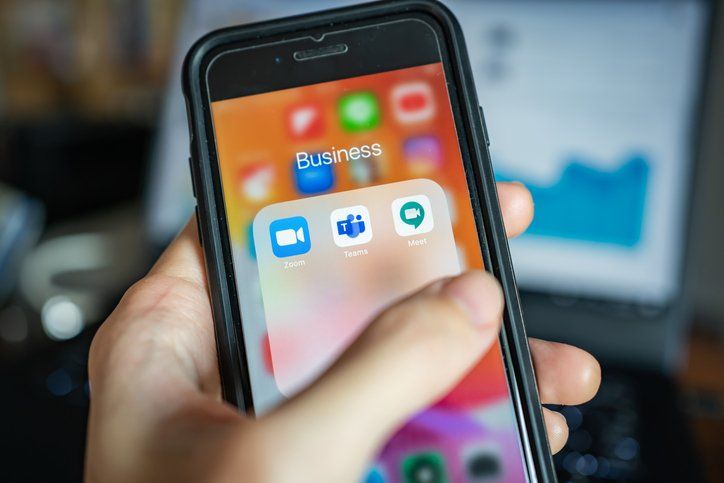
During the COVID-19 pandemic and the stay-at-home orders, more businesses discovered the value of Microsoft Teams – Aka Teams. But the benefits aren’t limited to those employees working remotely. Teams is a tool that allows employees to communicate and collaborate more efficiently and work more productively, whether they’re in the office or working remotely.
What is Microsoft Teams?
Teams, launched in early 2017, is a powerful and secure platform that allows communication and collaboration among a group of people. Teams is integrated with the rest of Microsoft products - including SharePoint, Word, Excel, PowerPoint, OneNote, and Outlook - and has become Microsoft’s fastest-growing product in history.
Some of the features of Teams include
Teams – A group of people, perhaps an entire department or a team working on the same project.
Channels – A shared work-space where team members can communicate and collaborate in a single location about a specific topic.
Apps – Both Microsoft and third-party apps can be installed into Teams to extend its capabilities.
What are the Benefits of Microsoft Teams?
The features in Teams allow employees to send messages, call using audio and/or video, chat one-on-one or as a group, share screens, conduct online meetings, store files, etc. Plus, team members can find everything in one place - conversations, files, meetings, and apps – and access it all through their desktops or mobile devices.
All of this results in a significant number of benefits. Here are just a few:
Increased Productivity
By having everything in one place, team members can get everything done without spending time jumping from one app or interface to another. This means they can focus, prioritize, organize everything, and get more work done.
Organization
Benjamin Franklin said, “For every minute spent in organizing, an hour is earned.” Here are just a few tools available in Teams to help employees keep everything – files, conversations, etc. - organized.
·The search function allows users to find all relevant information from previous files or conversations quickly.
·Channels allow employees to organize conversations by topic.
·Files can be organized and saved in one place, so everyone knows where to find them.
Keep Everyone Connected
Employees working from home can quickly feel isolated. Microsoft Teams allows those employees to stay connected with other team members and makes it much easier to keep everyone in the loop – those working in the office and remotely.
Employees no longer need to worry about who to cc or who should be invited to a meeting. And meetings become visible to everyone in a channel, so there is more transparency.
Easy Access
Teams is a fully cloud-based solution available on Android, Windows, and iOS, so team members can access the information from anywhere on any device.
No Language Barriers
Team’s inline translation feature translates other languages into English, so employees can communicate and collaborate with people from around the world even if they don’t speak the same language.
Communication in Real Time
When you send an email, you have to wait for a response. If the email is sent to a group of people, some will reply all, and some won’t, and the emails end up getting separated into several different conversations.
With Teams, you can chat in real-time or send an instant message. Everyone can be included in the conversation, which promotes teamwork, feedback, and collaboration.
Security
Cyber-security should be a concern for every business. Microsoft Teams includes the best security standards available today, including ISO 27001, SSAE16 SOC one and two, and more. It also has integrated mobile management, two-factor authentication, and encrypted data.
Plus, team members can make teams private or make them publicly available for other users both within and outside of your organization.
Eberly Systems offers Microsoft Teams and other IT solutions designed to help employees work more productively and teams more collaboratively. Call us today at 610-374-4049 or f ind us online to learn more.